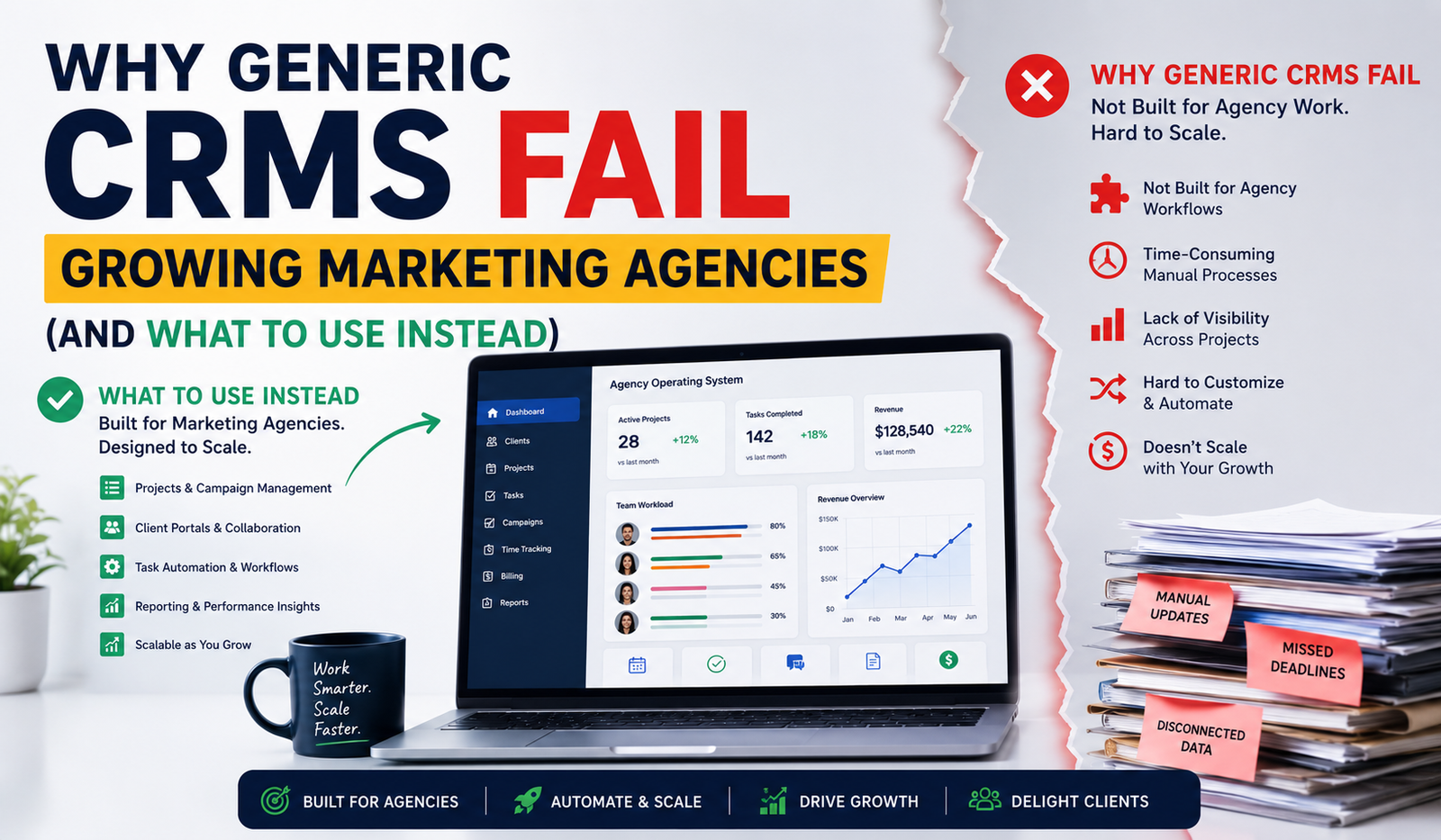
Why Generic CRMs Fail Growing Marketing Agencies (And What to Use Instead)
A customer relationship management (CRM) system is one of the most important tools for any service business. It helps organize leads, manage customer relationships, track sales opportunities, and improve communication across teams.
However, many marketing agencies discover that a generic CRM no longer meets their needs as they grow.
While traditional CRM platforms are designed to manage sales pipelines across a wide range of industries, marketing agencies operate differently. They manage ongoing client relationships, recurring services, project delivery, approvals, reporting, and cross-functional collaboration all of which extend far beyond basic contact management.
As agencies scale, these operational demands expose the limitations of general-purpose CRM software.
The result is a growing collection of disconnected tools, duplicated work, and inefficient workflows that slow both the agency team and the client experience.
What Does a CRM Actually Do?
At its core, a CRM stores customer information and helps businesses manage interactions throughout the sales journey.
Typical CRM capabilities include:
- Contact management
- Lead tracking
- Sales pipeline management
- Activity history
- Task management
- Opportunity tracking
- Customer communication
- Reporting
For many businesses, these capabilities are sufficient.
But marketing agencies rarely stop at sales management.
Once a client signs a contract, the real work begins.
Why Marketing Agencies Have Different Operational Needs
Unlike traditional sales organizations, agencies manage long-term service relationships rather than one-time transactions.
Their daily operations often include:
- Client onboarding
- Campaign planning
- SEO reporting
- Content approvals
- Website projects
- PPC management
- Creative production
- Monthly retainers
- Team collaboration
- Client communication
- Invoice tracking
- Performance reporting
These workflows involve multiple departments working together over weeks, months, or even years.
A CRM that only manages contacts cannot effectively support this level of operational complexity.
Five Signs Your Agency Has Outgrown a Generic CRM
Many agencies continue using software that worked well when they had only a few clients.
Growth changes everything.
If your team experiences the following challenges, your CRM may no longer support your business effectively.
1. Client Information Is Scattered
Client conversations exist in email.
Projects are managed in one application.
Invoices are stored somewhere else.
Reports are generated through another platform.
The CRM becomes nothing more than a digital address book.
Instead of creating efficiency, employees constantly switch between multiple systems just to complete routine tasks.
2. Teams Work in Silos
Sales teams manage leads.
Project managers use separate tools.
Marketing specialists communicate through chat applications.
Finance handles invoicing independently.
Without a centralized operational platform, departments lose visibility into the complete client journey.
This fragmentation often creates duplicate work, inconsistent communication, and slower response times.
3. Reporting Requires Manual Work
Agency owners need answers to questions such as:
- Which projects are nearing completion?
- Which clients haven’t approved deliverables?
- What recurring revenue is expected next month?
- Which accounts require follow-up?
When information is spread across disconnected systems, generating meaningful reports becomes time-consuming.
Managers spend valuable hours collecting data instead of making informed business decisions.
4. Client Communication Becomes Difficult
Growing agencies communicate with dozens— or even hundreds of clients every week.
Without centralized communication, teams frequently encounter:
- Lost email threads
- Missing approvals
- Duplicate requests
- Outdated attachments
- Inconsistent responses
Poor communication affects more than productivity. It influences client satisfaction, trust, and long-term retention.
5. Your Technology Stack Keeps Growing
A common pattern emerges as agencies expand.
The CRM manages leads.
Project software manages delivery.
Accounting software handles invoices.
A file-sharing platform stores documents.
A helpdesk manages support requests.
A client portal provides updates.
Each solution solves one problem while creating another: disconnected workflows.
Employees waste time moving information between systems rather than focusing on client success.
What Should a Marketing Agency CRM Include?
An agency-focused CRM should support the complete client lifecycle—from the first inquiry to ongoing service delivery.
Beyond contact management, agencies often benefit from capabilities such as:
- Client onboarding
- Project management
- Billing and invoicing
- Client communication
- File sharing
- Team collaboration
- Task management
- Analytics and reporting
- Client portals
- Workflow automation
Instead of operating as isolated functions, these capabilities work together to create a more connected and efficient agency workflow.
This integration reduces manual administration while giving agency owners greater visibility into both operational performance and client relationships.
For agencies looking to simplify operations, CRM solutions designed specifically for service businesses can combine customer management with project delivery, communication, and operational workflows in a single platform, reducing the need for multiple disconnected applications.
The Benefits of an Agency-Specific CRM
As agencies grow, efficiency becomes just as important as acquiring new clients. An agency-specific CRM supports both sales and service delivery, helping teams work from a single source of truth.
Improved Team Collaboration
Marketing agencies rely on collaboration between sales representatives, account managers, SEO specialists, designers, developers, copywriters, and client success teams.
When everyone works from the same
The Benefits of an Agency-Specific CRM
Choosing a CRM designed for agency workflows goes beyond improving contact management. It creates a connected operational environment where sales, project delivery, finance, and client communication work together.
Here are some of the biggest advantages.
Improved Team Collaboration
Agency teams rarely work independently.
A single client account may involve account managers, SEO specialists, designers, developers, copywriters, paid advertising experts, and finance staff.
When everyone works from the same centralized platform, communication becomes more consistent, project handoffs improve, and information remains accessible across departments.
Better Client Experience
Clients value transparency just as much as great results.
An agency-focused CRM helps teams deliver a smoother experience by keeping conversations, project updates, invoices, documents, and requests organized in one place.
Instead of repeatedly asking for updates or searching through email threads, clients have a clearer view of ongoing work, creating greater trust throughout the relationship.
Increased Operational Efficiency
Administrative work doesn’t generate revenue.
Switching between multiple systems, copying information, updating spreadsheets, and manually tracking client activity consumes valuable time.
An integrated CRM reduces repetitive tasks and allows agency teams to focus on strategic work that delivers measurable value to clients.
Easier Business Growth
Growth often exposes weaknesses in internal systems.
Processes that work well with ten clients become difficult to manage with fifty or one hundred.
An agency-specific CRM introduces standardized workflows that scale alongside the business, helping maintain service quality without dramatically increasing administrative overhead.
Generic CRM vs. Agency CRM
| Feature | Generic CRM | Agency-Focused CRM |
| Contact Management | ✔ | ✔ |
| Sales Pipeline | ✔ | ✔ |
| Client Onboarding | Limited | ✔ |
| Project Management | Often requires separate tools | ✔ |
| Client Portal | Rare | ✔ |
| Billing & Invoicing | Usually external | ✔ |
| Workflow Automation | Basic | Agency-specific |
| Team Collaboration | Limited | Integrated |
| Agency Reporting | General sales reports | Operational and client insights |
| Scalability for Service Businesses | Moderate | Built for recurring agency workflows |
For agencies managing long-term client relationships, an integrated platform often provides greater efficiency than combining multiple disconnected applications.
How to Choose the Right CRM for Your Agency
Before investing in a CRM, evaluate your agency’s operational needs rather than focusing only on sales features.
Ask questions such as:
- Will this platform support recurring client relationships?
- Can it centralize communication?
- Does it integrate project management with customer information?
- Will billing and invoicing remain connected to client records?
- Can multiple departments collaborate efficiently?
- Will it continue supporting the agency as we grow?
A CRM should reduce operational complexity not introduce additional software to manage.
Looking Ahead: The Future of Agency Operations
Modern agencies are increasingly adopting automation and AI to improve productivity.
Routine administrative work including updating records, assigning tasks, organizing client information, and generating reports is becoming more streamlined through intelligent workflows.
However, automation delivers the greatest value when supported by a well-organized operational platform.
Instead of managing isolated systems, agencies are moving toward unified environments where client relationships, projects, communication, reporting, and financial processes remain connected throughout the customer lifecycle.
This shift allows agency owners to spend less time managing software and more time improving client outcomes and growing their businesses.
Frequently Asked Questions
What is a CRM for marketing agencies?
A CRM for marketing agencies is a customer relationship management platform designed to help agencies manage leads, clients, projects, communication, and recurring service delivery within a centralized workflow.
Why do generic CRMs struggle in agency environments?
Generic CRMs primarily focus on sales management. Agencies require additional capabilities such as project management, client portals, billing, collaboration, and workflow automation to support long-term service relationships.
When should an agency upgrade its CRM?
If your team regularly switches between multiple tools, struggles to track client communication, or spends excessive time on administrative work, it may be time to adopt a CRM designed for agency operations.
Can a CRM improve client retention?
Yes. Better organization, faster communication, improved transparency, and more consistent service delivery contribute to a stronger client experience, increasing the likelihood of long-term partnerships.
What features should agencies prioritize?
Important features include lead management, project tracking, workflow automation, billing, reporting, collaboration tools, client portals, analytics, and integrations that support the entire client lifecycle.
Conclusion
A CRM should do more than organize contacts—it should help agencies manage relationships, deliver services efficiently, and scale with confidence.
As marketing agencies grow, disconnected tools and fragmented workflows create unnecessary complexity that affects both productivity and client satisfaction. An agency-specific CRM addresses these challenges by connecting customer management with project delivery, collaboration, reporting, and operational processes in one place.
Rather than adapting your agency to fit generic software, consider solutions designed around how service businesses actually operate. A platform that unifies client information, workflows, and communication can reduce administrative effort, improve team coordination, and create a better experience for every client.
For agencies focused on sustainable growth, choosing the right CRM is not simply a software decision—it’s an investment in stronger operations, better client relationships, and long-term business success.
If you’re building a full off-page campaign for DSP CRM, the next logical guest post would be “How Custom Intake Forms Can Reduce Client Onboarding Time by 50%”, naturally supporting the Forms Builder feature while expanding topical authority around agency operations.